Case study · Healthcare
Ilaaj AI — an AI-assisted health web app designed for low-resource settings
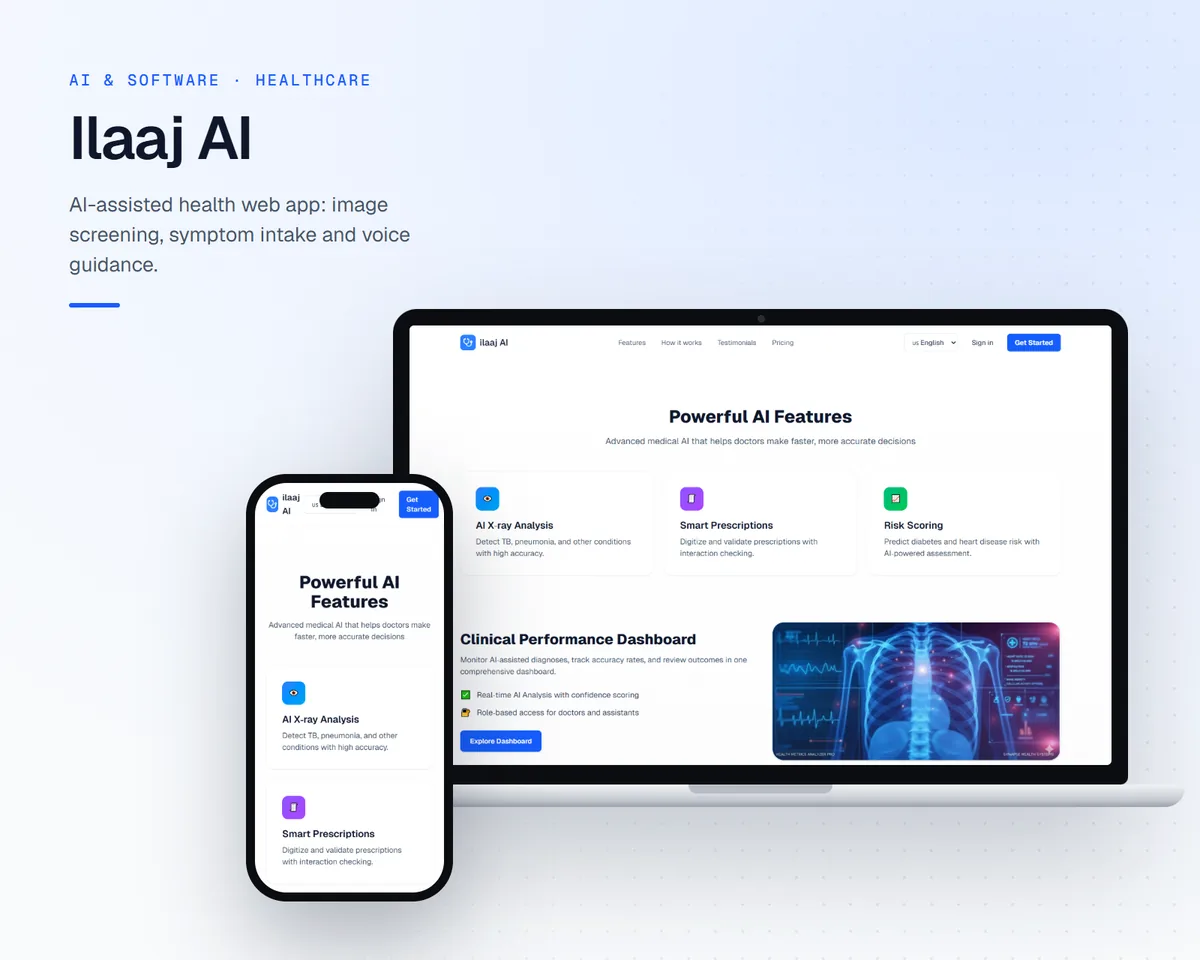
A browser-based healthcare application combining AI-assisted image screening, a symptom-intake assistant, and voice guidance, designed for clinics with limited specialist access and users with varying literacy.
- Client
- Ilaaj AI
- Industry
- Healthcare
- Year
- 2024
- Services
- Custom AI, Web Development, UI/UX Design
Business challenge
The problem
In many rural and low-resource settings, patients have limited access to specialists, and local health workers handle a wide range of cases with few diagnostic tools.
The project set out to explore how a lightweight web application could support health workers with structured intake and AI-assisted screening, without requiring expensive hardware or a constant high-bandwidth connection.
Existing workflow
- Patient information captured on paper or in disconnected tools
- Specialist opinions requiring travel or long waits
- Limited structured history available at the point of care
Solution
What we built
We designed and built a web application that runs in the browser, with in-browser machine learning (TensorFlow.js) so image screening can run on the device rather than depending on a remote server for every request.
The interface was designed for users with varying literacy: clear visual hierarchy, simple steps, and voice-guided navigation. AI output is presented as assistive screening information for a health worker or clinician to review — not as a diagnosis.
Architecture
System overview
- 1
Intake
Guided symptom and history capture.
- 2
Image input
Image uploaded in the browser.
- 3
On-device model
TensorFlow.js screening in the browser.
- 4
Results view
Assistive findings with clear caveats.
- 5Human
Clinician review
A qualified person decides.
Product experience
- Step-by-step intake flow with simple language
- Voice guidance to support users with lower literacy
- Screening results framed as information for review, not conclusions
- Responsive layout for tablets and phones
Outcome
- A working, publicly accessible web application
- On-device inference that reduces reliance on server round-trips
- An interface pattern for presenting AI screening output responsibly
- Quantified clinical or operational outcomes are not published for this project
Integrations
- Supabase for data and authentication
- In-browser TensorFlow.js models
Technology
- Next.js
- TypeScript
- TensorFlow.js
- Supabase
- Radix UI
Lessons learned
What we took away
01
AI health tools must be explicit about what they are not: screening support is not diagnosis, and the interface should say so.
02
On-device models change the deployment equation in low-connectivity environments but constrain model size, so model choice and UX must be designed together.
03
Accessibility for low-literacy users is a core requirement, not an enhancement.
More work
Other case studies
Healthcare · 2024 · Confidential client
A clinic operations platform with AI-assisted administration
A full-stack web platform for a clinic to manage patient records, appointments, and administrative workflows, with AI used to prepare documentation for staff review.
E-commerce · 2024 · Confidential client
Behaviour-based product recommendations for an online retailer
A recommendation engine that uses browsing and purchase behaviour to suggest relevant products, served through an API into the retailer's storefront.
Next step
Have a similar problem?
Tell us about the workflow, the systems involved, and what you want to change. We'll tell you honestly what a first build could look like.
What happens next
- 1Tell us about one workflow
- 2We review it before replying
- 3A working session, then a first-build proposal